Two people look identical in Outlook
Recipient Guard steps in when Outlook AutoComplete makes the wrong mailbox look deceptively familiar, for example when display names are the same for different people.
Recipient Guard is designed from the moment Outlook AutoComplete feels helpful right up to the second it helps you select the wrong person's mailbox. The product is focused on protecting your workflow whilst helping it stay efficient and effective.
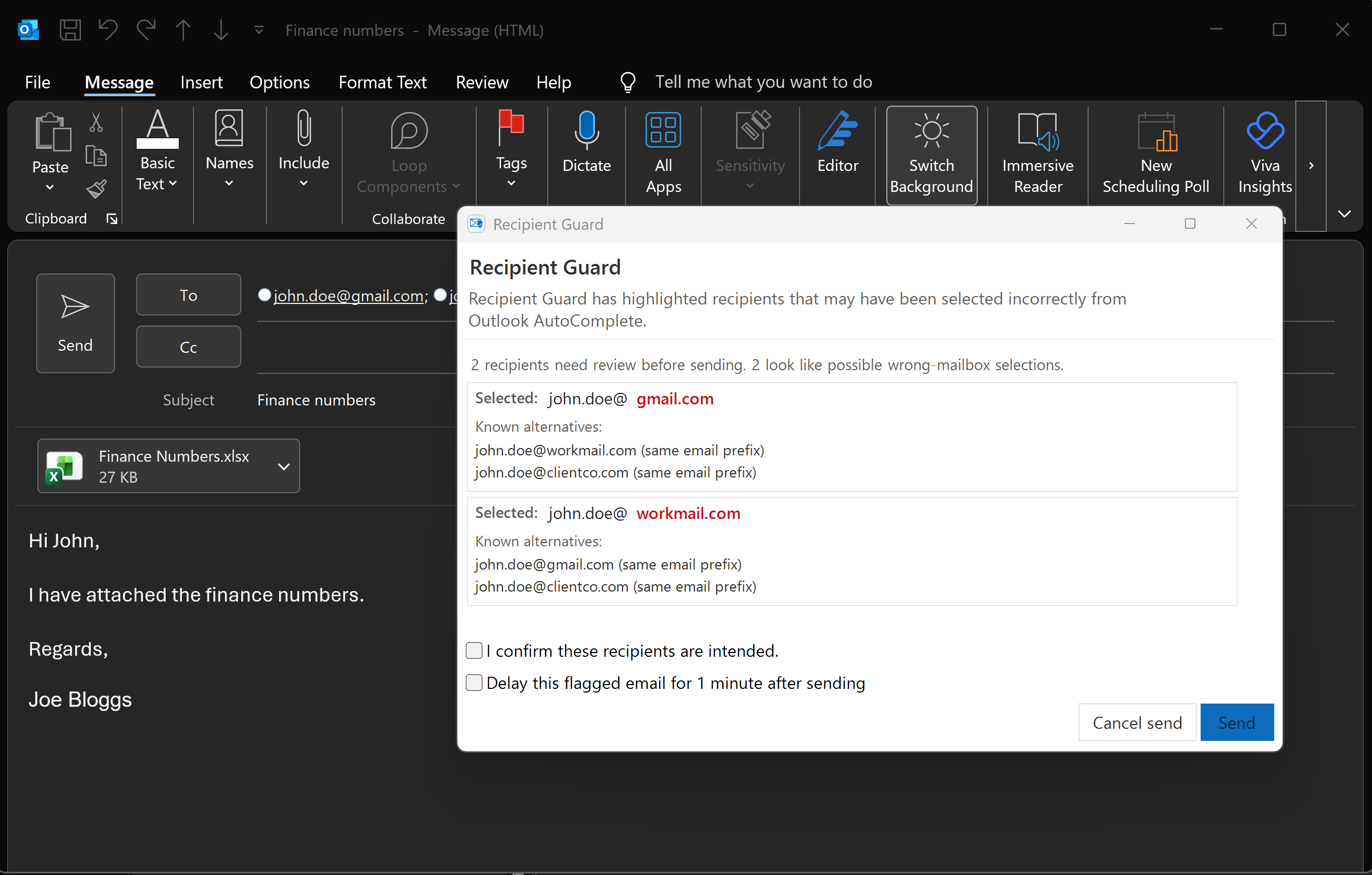
Recipient Guard catches the moment Outlook AutoComplete selects a familiar-looking personal mailbox instead of the intended work or client address.
The strongest value comes from the patterns Outlook often makes feel safe when they are not.
Recipient Guard steps in when Outlook AutoComplete makes the wrong mailbox look deceptively familiar, for example when display names are the same for different people.
It spots addresses like name@oldcompany.com versus name@currentcompany.com, where one small difference can send the message to the wrong place.
That overlap is common in real inboxes, so Recipient Guard treats it as a meaningful ambiguity rather than trusting Outlook to guess correctly.
Most Outlook mistakes are not dramatic moves but can be dramatic moments. They are ordinary Outlook moments: the wrong John Smith, the wrong domain, your client's personal address, or an external recipient selected too quickly. Recipient Guard is built specifically for those moments.
Create a free account, download the current early-access build, and try the protection in everyday Outlook use.